Claude Can Navigate Your Browser in Real Time
I’ve been running cosmicbuddha.com for over two decades. More than 4,600 posts about whatever rabbit hole I happened to fall into that week. I don’t get starstruck by new tech easily anymore. I’ve seen too many game changers come and go. I’m not adventurous enough to experiment with OpenClaw or other agent platforms. but what happened during a casual experiment with Opera and Claude today genuinely stopped me in my tracks, and I want to document it before it becomes common knowledge, because right now almost nobody is talking about what this actually does.
It started with a sidebar
I’d heard that Opera had added some AI features and that Claude was somehow accessible through the browser. I assumed it would be a simple thing, maybe a Claude icon in the left sidebar, a convenient shortcut. What I found instead, after digging through Opera’s Early Bird settings, was something called Browser Connector. And it turns out that’s a very different thing from a shortcut.
The moment it clicked
Getting here wasn’t obvious. My first instinct was to use Claude right inside the Opera browser tab, the same window I was browsing in. Nothing. Claude couldn’t see a thing. I tried splitting Claude off into a separate browser window thinking that might help. Still nothing. It wasn’t until I switched over to the Claude Desktop app that the whole thing snapped into place and suddenly Claude could see every tab I had open. That moment — going from zero to everything — was what made me realize this was something genuinely different from what I’d been assuming.
What Browser Connector actually is
Opera launched Browser Connector on April 16, 2026, ten days ago as I write this, available free in Early Bird mode for Opera One and Opera GX. The marketing pitch is that Claude or ChatGPT can “see your tabs.” Most coverage stopped there. But that framing undersells what’s actually happening by a lot.
The feature runs on MCP, Model Context Protocol, an open standard developed by Anthropic that lets AI tools connect directly to external apps and live data sources. When you pair Opera with the Claude Desktop app through Browser Connector, you’re not giving Claude a peek at your screen. You’re giving it live tool access to your actual browser session.
What Claude could actually do, in real time, today
Here’s what I tested and confirmed works right now in this setup. List every open tab with titles and URLs. Navigate to any page in an existing tab. Read the full live content of any page, not a cached version, the real rendered page with my login session active. And take screenshots of any tab and interpret what’s on screen.
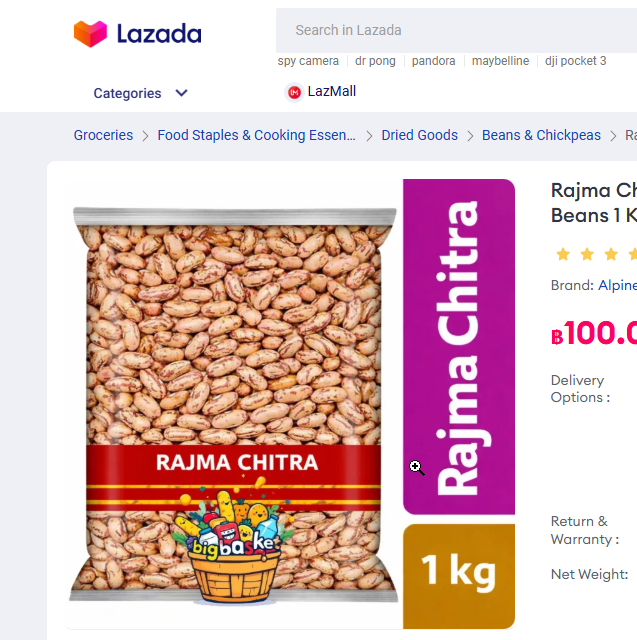
To test it properly I asked Claude to find the cheapest pinto beans per gram on Lazada Thailand. Yes, really, I actually needed pinto beans. Claude navigated to the search results sorted by price, read the live listings, opened the top product page, and when the variant pricing was buried in JavaScript and not exposed cleanly in the page code, it took a screenshot and read the price directly off the rendered image. It found the product, compared 500g vs 1kg pricing, and gave me a direct purchase link, all using my account, with my location in Maha Sarakham already set, showing real local shipping rates to my door.
That has never been possible before today. Not with Claude, not with any AI I’ve used.
What it can’t do yet
To be precise: Claude can navigate and read but can’t click UI elements inside pages like buttons, dropdowns, or form fields. It’s read-and-navigate, not full browser control. That’s a real limitation worth knowing, though narrower than it sounds since most browsing tasks are navigation and reading anyway. Full agentic control is likely coming. Opera Neon already has it for paid subscribers.
How to set it up
You need the Claude Desktop app and Opera One or Opera GX. In Opera, enable Early Bird mode in settings, then go to Settings, AI Services, Browser Connector, install it, and connect it to Claude. From that point on Claude Desktop has live access to your browser session whenever you ask. You will need to give it specific Opera permissions in the Claude chat (you can click either “once” or “always”).
Why this matters
This isn’t just a convenience upgrade. Claude is now operating with real-time, in-session context, your logins, your location, your actual live browser state, rather than working from training data or generic web search snippets. If you’ve ever been frustrated by AI giving you outdated prices, wrong product availability, or being unable to interact with sites you’re already logged into, this is a direct answer to that.
We’re ten days into this feature existing. The window where you can be ahead of the curve on it is still open, but it won’t be for long.
*Disclaimer: This post is accurate to the best of the author’s knowledge as of April 2026. AI capabilities evolve fast enough that some of this may already be outdated by the time you read it. The author is not responsible for anything the AI does in your browser, your cart, or your life. The pinto beans were not sponsored.
P.S. Today also marks the first time I tried Chat GPT’s new image creation skills, which you could say really nails the just like the old AI crap but with New! Amazing! Spelling! Abilities! kind of vibe.
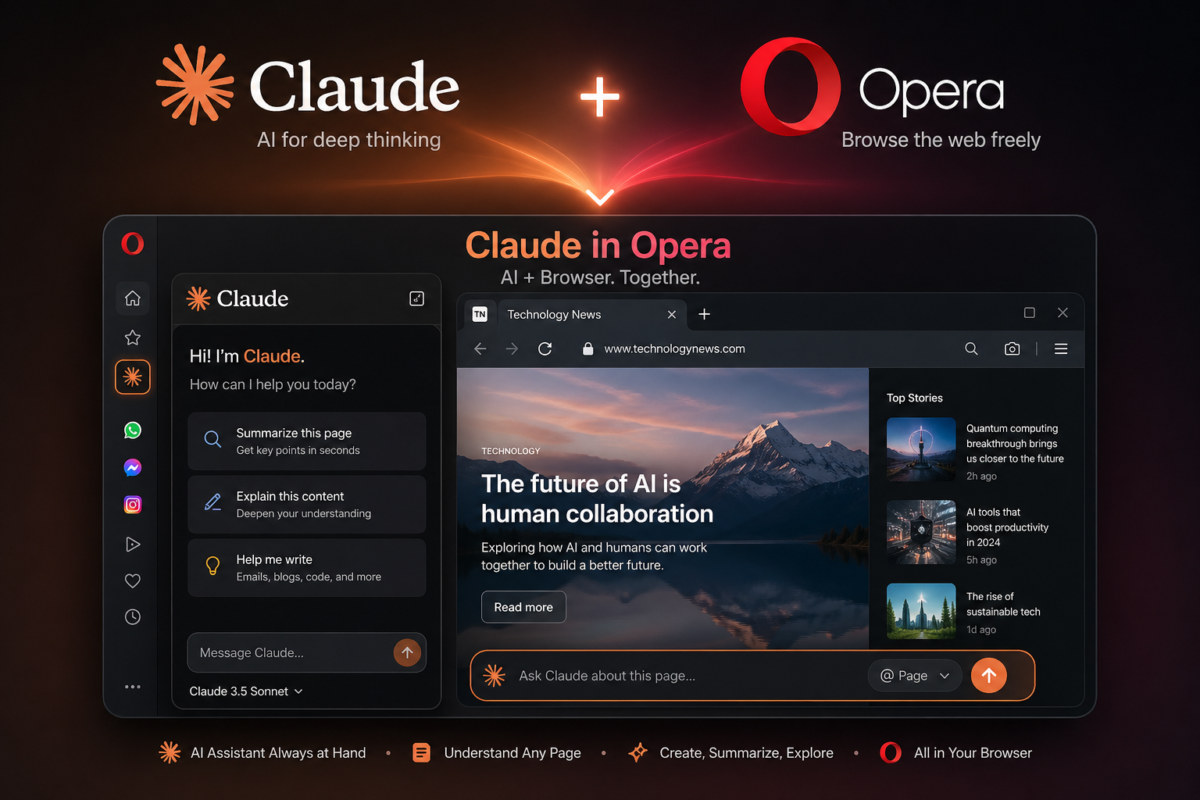
P.P.S. For being so awesome and not cancelling my gmail account, I let Claude write most of this post.
Addendum: April 27, 2026
After publishing this post I kept experimenting, and two more things came out of it worth documenting.
First: I switched over to the Claude mobile app on my Android phone and opened this same conversation. Without doing anything else, Claude could still see every tab open in Opera on my PC. Same five tabs, same active page. The MCP connection doesn’t care what device you’re talking to Claude from — as long as Opera is open on your PC, the connection is live.
Second, and this one surprised me: I closed Claude Desktop completely from the Windows taskbar, then asked Claude from my phone if it could still see my tabs. It could. Every single one.
That means the Browser Connector extension in Opera is maintaining the MCP connection independently of the Desktop app. Closing Claude Desktop does not cut off browser access. If you want to actually sever the connection you need to disable or disconnect the Browser Connector extension in Opera directly.
For most people using this for shopping research or productivity that’s fine. But if you’re privacy conscious, now you know where the actual off switch is.





One Comment
Daphne
Duck Duck Go is number one for me.